How to Draw Names for Secret Santa Online (Free, Step by Step)
TL;DR: To draw names for Secret Santa online, add each participant's name and email, set exclusions for people who shouldn't draw each other, and click send. The names are shuffled automatically, nobody draws themselves, and everyone gets their match by email. With Amazing Secret Santa it's free, takes less than five minutes and needs no account.
Drawing names from a hat works fine until it doesn't. Someone draws their own name, a couple ends up together, or half the group is working from home and can't reach into the hat at all. And whoever holds the hat usually finds out more than they should.
Drawing names online solves all of that. The tool does the shuffling, respects your exclusions, and sends each person their match privately. Nobody, not even the organizer, sees the full list.
This guide walks you through the whole process, from what to prepare to what each participant receives, plus fixes for the most common problems.
Why Draw Names Online?
A Secret Santa draw has one job: match everyone randomly, secretly and fairly. Paper slips and spreadsheets struggle with at least one of the three.
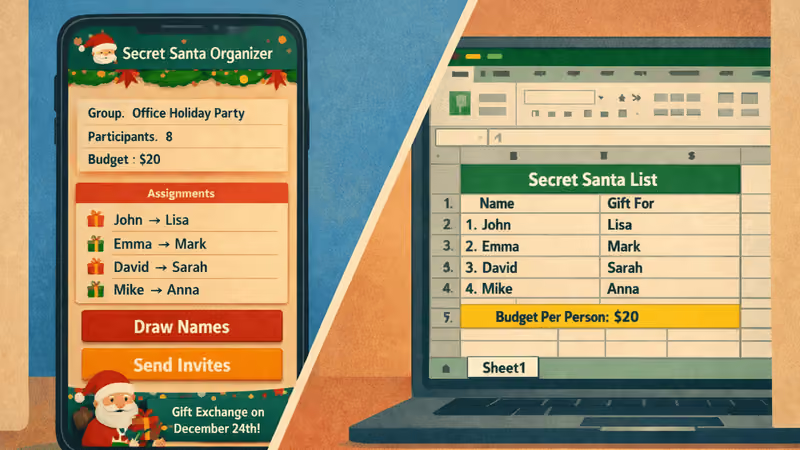
| Names in a hat | Spreadsheet | Online draw | |
|---|---|---|---|
| Nobody draws themselves | Redraw needed | Manual check | Automatic |
| Exclusions (e.g. couples) | Very hard | Manual, error-prone | Built in |
| Organizer can join | Yes | No, they see all pairs | Yes, pairs stay hidden |
| Works for remote groups | No | Yes | Yes |
| Time needed | 10-20 minutes in person | 30+ minutes | Under 5 minutes |
The biggest difference is secrecy. With a hat or a spreadsheet, someone always holds information they shouldn't. With an online draw, every match goes straight from the tool to the person's inbox.
Still unsure? Our full comparison of a Secret Santa app vs a spreadsheet covers time, privacy and flexibility in more detail.
What You Need Before You Start
The draw itself takes a few minutes. The preparation is what makes it go smoothly. Before you open the generator, have these ready:
- The final list of participants: Between 3 and 30 people per draw. Close the list before drawing, because adding someone later means a new draw.
- A working email address for each person: Double-check the spelling, since each match is sent by email.
- Your exclusions: Decide who shouldn't draw whom, typically partners or roommates.
- The budget and the exchange date: Agree on them first. You can add them to the draw, and they'll appear in every participant's email.
If you haven't settled the budget yet, our guide to Secret Santa budget rules suggests fair amounts for every kind of group.
How to Draw Names Online, Step by Step
Here's how it works with Amazing Secret Santa. The whole draw takes four short steps and no sign-up.
Step 1: Add the Participants
Open the draw page and click the add button. Enter each person's name and email address. The name is what appears in the emails, so use the name everyone knows them by.
Made a typo? Use the pen icon to edit a participant, or the trash icon to remove one. When everyone is on the list, click next.
Step 2: Set Exclusions
Exclusions stop specific people from drawing each other. Click the exclude icon next to a participant and select who they shouldn't be matched with. Partners, roommates and parents with young children are the most common choices.
Keep exclusions to a minimum, especially in small groups. Too many can make a valid draw impossible. If you don't need any, simply click next.
Step 3: Review and Send
Above the summary, you'll find the optional event details: the budget, the exchange date, picked from a calendar, and a message for the group. Whatever you fill in appears in every participant's email, so the rules arrive together with the match.
Check the participants summary one last time: names, emails and exclusions. When everything looks right, press send. The tool shuffles the names, makes sure nobody draws themselves or an excluded person, and emails everyone.
Need a change? Use the back button to fix it before sending.
Step 4: Everyone Gets Their Match
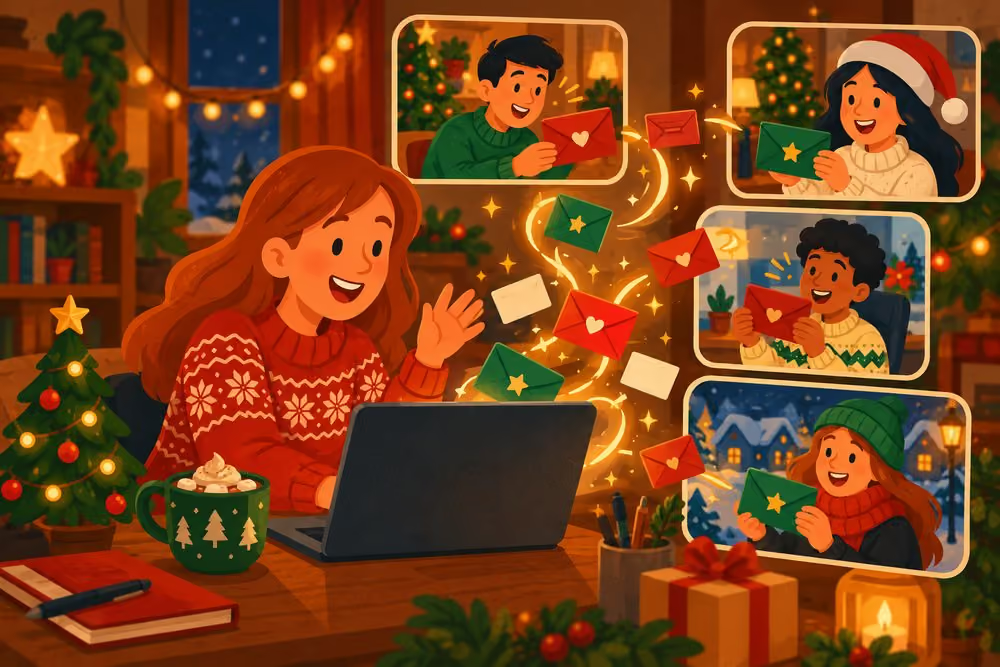
That's it. Each participant receives an email with the name of the person they're buying a gift for. The organizer sees a confirmation, but never the pairs, so they can play along like everyone else.
What Each Participant Receives
Every participant gets one email. It tells them who they'll give a gift to, and reminds them to keep it secret until the exchange. If you filled in the event details, it also shows the budget, the exchange date and your message.
The email also includes a link to a private anonymous chat. Through it, each person can talk to both their recipient and their own Secret Santa without revealing who they are. It's the easiest way to ask about sizes, allergies or favorite things without spoiling the surprise.
For ready-made questions to ask, use our Secret Santa questionnaire. Email addresses are only used to send the matches and are never stored.
Tips for a Smooth Online Draw
A few small habits prevent almost every problem. Most of them take less than a minute.
- 1Tell people before you draw: A quick message like “Watch your inbox for a Secret Santa email” stops it from being ignored.
- 2Ask everyone to check their spam folder: Automated emails sometimes land in promotions or spam.
- 3Draw two to four weeks before the exchange: That gives everyone time to shop and ship.
- 4Put the details in the draw: Budget, date and a short note go straight into every email. Share anything else, like the place or a theme, in one message.
- 5Split big groups: Over 30 people? Run one draw per team or department.
For everything that happens after the draw, from the budget to the exchange day, see our complete Secret Santa rules. Organizing for a remote team? Our guide to hosting a virtual Secret Santa covers shipping and online reveals.
Common Problems and How to Fix Them
Even with a perfect draw, small things can go wrong. Here's how to handle the most common ones.
Someone didn't receive their email. Ask them to check spam and promotions first. If the address was misspelled, run a new draw with the corrected address. Because the pairs are never shown to anyone, a new draw is the only way to send a new match, so tell the group that the new email replaces the old one.
Someone wants to join after the draw. Run a new draw with the full list, and let everyone know their match may have changed.
Someone drops out after the draw. In a small group, run a new draw. In a larger one, the person who drew them can simply take over their recipient.
Someone drew a person they'd rather not. That's not a reason to redraw. Part of the fun is buying for someone you don't know well, and our guide to gifts for coworkers you don't know well makes it easy.
Draw Your Names Now
Drawing Secret Santa names online is the fastest way to get a fair, secret and stress-free exchange. Gather the names and emails, decide on exclusions, and you're ready.
New to the game? Read what Secret Santa is first, or follow our guide on how to organize the perfect Secret Santa. When you're ready, draw names for free.
Happy Gifting!
Frequently Asked Questions
5Open a free Secret Santa generator, add each participant's name and email, set any exclusions, like partners not drawing each other, and start the draw. The tool shuffles the names and emails every participant the name of the person they buy a gift for.
Yes. Amazing Secret Santa is completely free, has no ads and needs no account. You add names and emails, set exclusions and draw, and everyone receives their match by email in a few seconds.
It depends on the tool. With Amazing Secret Santa, the organizer never sees the pairs: each person only receives their own match by email. That means the organizer can take part in the exchange like everyone else.
With Amazing Secret Santa, each draw handles from 3 to 30 people. For a bigger company, run one draw per team, floor or department, so gifts stay between people who actually know each other.
Ask them to check their spam or promotions folder first. If the email address was misspelled, run a new draw with the corrected address and tell the group that the new email replaces the old one.

Author
Bruma